Landmarks must designate predefined layout parts; all content should be within landmarks
2.4.1
Required
High
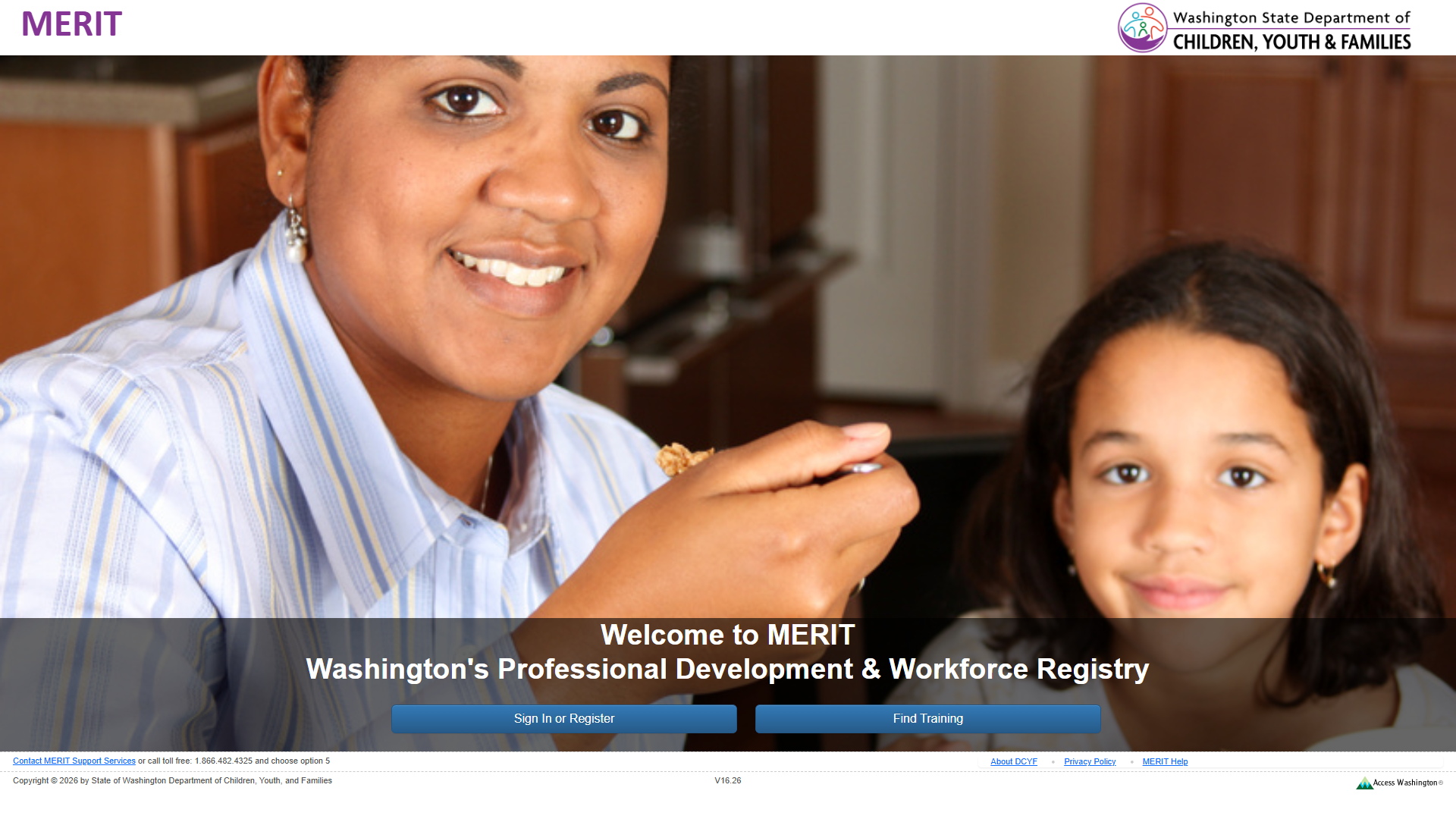
No <main> landmark exists. The primary content (welcome heading, sign-in and training buttons) is in a generic <div>. Screen reader landmark navigation skips from banner to contentinfo, missing core content.
Wrap the primary content area in a <main> element or add role="main".
2
Missing Skip Link
A mechanism must exist to bypass blocks of content
2.4.1
Required
High
No skip link present. First Tab stop is “Sign In or Register” button. Keyboard users have no way to bypass the banner. Combined with missing <main>, there is no bypass mechanism.
Add a visually-hidden, focus-visible skip link as the first focusable element: <a href="#main-content">Skip to main content</a>.
3
Missing Navigation Landmark
Navigation lists should be designated with <nav>
—
Best practice
Medium
Footer contains a link list (About DCYF, Privacy Policy, MERIT Help) not wrapped in <nav>. No <nav> element exists anywhere on the page.
Wrap footer link list in <nav aria-label="Footer navigation">.
4
H1 in Banner, Not Main Content
Main content should start with <h1>
—
Best practice
Medium
The only <h1> (“MERIT”) is in the banner as a brand label. Main content begins with <h2>. Screen reader users expect <h1> at the start of main content.
Move <h1> into main content (e.g., “Welcome to MERIT”) or add a page-specific <h1> there.
Section 2: Links and Navigation
Standards reference: links-and-navigation.md
Evaluated
Pass
Fail
N/A
35
17
9
9
Findings
#
Topic
Requirement
WCAG
Level
Severity
Description
Proposed Fix
1
Skip Navigation
A “skip” link should be the first focusable element
2.4.1
Required
High
No skip link present. First focusable element is “Sign In or Register” button.
Add skip link as first focusable element targeting main content.
2
Bypass Blocks
A method must exist to bypass repeated blocks of content
2.4.1
Required
High
No skip link, no <nav>, no <main>. Headings exist (<h1>, <h2>) which partially helps screen readers, but keyboard-only users have no bypass mechanism.
Add <main> landmark, skip link, and <nav> for footer links.
3
Distinguishable Link Purpose
Purpose of each link must be understandable
2.4.4
Required
High
“MERIT Help” link (href="#") goes nowhere – purpose is indiscernible. “Access Washington Logo” link uses image description rather than destination as its accessible name.
Fix “MERIT Help” with a valid URL or convert to <button>. Update Access Washington link accessible name to describe destination.
4
Consistent Help
Help mechanisms on multiple pages must occur in same relative order
3.2.6
Required
Medium
“MERIT Help” (href="#") is a non-functional help mechanism in the footer. If it appears on other pages in the same broken state, the help mechanism is broken site-wide.
Make “MERIT Help” link functional by pointing to a valid help resource.
5
Links vs. Buttons
Links should navigate; should not be used for scripted functionality
—
Best practice
Medium
“MERIT Help” link with href="#" does not navigate anywhere.
Convert to <button> if it triggers scripted behavior, or assign a valid URL.
6
Navigation List Markup
Navigation list should use <nav> element
—
Best practice
Medium
Footer link list is not wrapped in <nav> or role="navigation".
Wrap in <nav aria-label="Footer navigation">.
7
Multiple Ways
Multiple ways must be available to find other web pages
2.4.5
Required
Medium
Only two buttons and footer links for navigation. No site search, site map, or breadcrumbs. May be acceptable for a pre-auth landing page.
Verify post-login pages provide at least two navigation methods.
8
Links Opening in New Tab
Links opening in new tab should indicate it
—
Best practice
Low
External links (About DCYF, Privacy Policy, Access Washington) may open in new tabs without indication.
If they open in new tabs, add “(opens in new tab)” text or equivalent.
9
Links to External Sites
Links to external sites may indicate they are external
—
Best practice
Low
Three links navigate to external domains with no external indicator.
Consider adding external link icon or “(external)” text.
Section 3: Images and Visual Design
Standards reference: images-and-visual-design.md
Evaluated
Pass
Fail
N/A
43
28
5
10
Findings
#
Topic
Requirement
WCAG
Level
Severity
Description
Proposed Fix
1
Text Contrast over Background Image
Large text over background images must have at least 3:1 contrast
1.4.3
Required
High
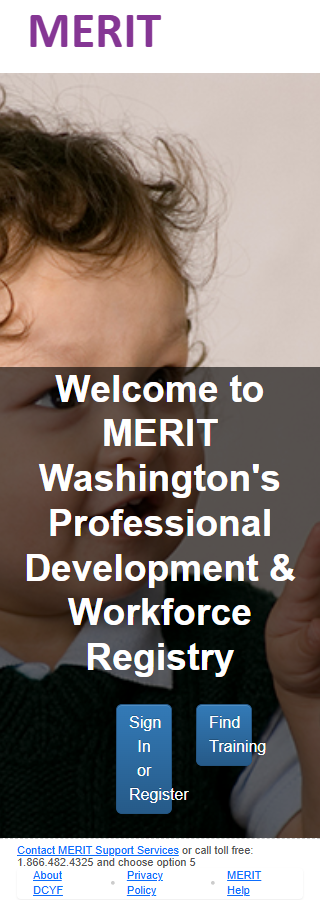
H1 “MERIT” (purple #853696, 50px bold) renders over hero background image with transparent background. Contrast depends on underlying photograph and varies with viewport. No solid overlay behind heading.
Add a semi-transparent background (rgba(255,255,255,0.7)) or solid background behind the “MERIT” heading.
2
Image Link Alt Text
Image links should describe the destination
1.1.1
Required
Medium
Access Washington logo in footer is a link to access.wa.gov. Alt text “Access Washington Logo” describes the image, not the link destination.
Change alt to “Visit Access Washington” or add aria-label on the link.
3
Informative Background Image
If a background image conveys info, alt text must be provided
1.1.1
Required
Medium
Hero background image of woman and child conveys organizational identity. No role="image" or aria-label on the container. Treating as decorative is reasonable but should be documented.
If decorative, no action needed. If informative, add role="image" and aria-label to hero container.
4
Button Contrast (Borderline)
Small text must have at least 4.5:1 contrast
1.4.3
Required
Low
“Sign In or Register” button: white on blue (#0D6EFD) = exactly 4.50:1. Meets minimum but has zero margin.
Darken button background slightly (e.g., #0B5ED7) for a more comfortable margin.
5
Small Footer Text
Fonts should be easily readable
—
Best practice
Low
Footer text at 11px (8.25pt) is very small. Difficult for low-vision users despite passing contrast.
Increase footer text to at least 14px. Use relative units (rem/em).
Contrast Measurements
Element
Foreground
Background
Ratio
Required
Result
H1 “MERIT” (50px bold)
#853696
Variable (hero image)
~3.4-7.1:1
3:1
UNCERTAIN
H2 “Welcome to MERIT” (37px bold)
#FFFFFF
Dark overlay (~rgba(30-60,…))
~11-17:1
3:1
PASS
Button “Sign In or Register” (16px)
#FFFFFF
#0D6EFD
4.50:1
4.5:1
PASS (borderline)
Link “Contact MERIT Support” (11px)
#0D6EFD
#FFFFFF
4.50:1
4.5:1
PASS (borderline)
Footer text “About DCYF” (11px)
#212529
#FFFFFF
15.43:1
4.5:1
PASS
Section 4: User Input, Forms, and Dynamic Content
Standards reference: user-input-forms.md
Evaluated
Pass
Fail
N/A
117
15
0
102
No issues identified in this section.
This page contains no forms, custom widgets, dynamic content, or CAPTCHA. The 15 applicable items (keyboard focusability, tab order, focus indicators, keyboard traps, pointer cancellation, target size, accessible names) all pass. The two standard HTML <button> elements are fully keyboard-operable with logical tab order.
Section 5: Multimedia, Animations, and Motion
Standards reference: multimedia-and-motion.md
Evaluated
Pass
Fail
N/A
48
2
0
46
No issues identified in this section.
No audio, video, multimedia, or animated content detected. The hero background is a static CSS image. No flashing content (WCAG 2.3.1 pass). No time-limited content (WCAG 2.2.1 pass).
Summary
Compliance Overview
Section
Evaluated
Pass
Fail
N/A
1. Structure & Semantics
33
19
4
10
2. Links & Navigation
35
17
9
9
3. Images & Visual Design
43
28
5
10
4. User Input, Forms & Dynamic Content
117
15
0
102
5. Multimedia, Animations & Motion
48
2
0
46
Total
276
81
18
177
Findings by Severity
Critical
None (page title and lang attribute verified present via DOM inspection)
Missing skip link – no bypass mechanism for keyboard users (WCAG 2.4.1)
“MERIT Help” link with href="#" has no discernible purpose (WCAG 2.4.4)
H1 “MERIT” text contrast over variable hero background image not guaranteed (WCAG 1.4.3)
Medium
Missing <nav> landmark for footer links
<h1> is in banner, not main content area
Non-functional “MERIT Help” as help mechanism (WCAG 3.2.6)
“Links vs Buttons” – href="#" pattern (Best practice)
Access Washington logo link alt text describes image not destination (WCAG 1.1.1)
Hero background image may need alt text if considered informative (WCAG 1.1.1)
Multiple navigation methods limited (WCAG 2.4.5)
Low
Button contrast at exact 4.5:1 threshold with no margin (WCAG 1.4.3)
Footer text at 11px is very small (Best practice)
External links don’t indicate new tab/window behavior (Best practice)
External links don’t indicate they leave the site (Best practice)
Notes
Page title is “Welcome” (verified via document.title) – present but could be more descriptive (e.g., “Welcome - MERIT”)
<html lang="en-us"> is present (verified via DOM) – correctly identifies page language
Page redirects from /MERIT/ to /MERIT/Home/Welcome?ReturnUrl=%2FMERIT%2F
Many Section 4 and 5 items are N/A due to the simple nature of this landing page (no forms, no media)
Focus indicators could not be visually confirmed from the automated screenshot; manual verification recommended
Severity Definitions
Severity
Criteria
Critical
Required standard violated; completely blocks access for one or more disability groups (e.g., keyboard trap, no form labels, missing alt text on functional images)
High
Required standard violated; significant barrier that makes the feature very difficult to use (e.g., poor contrast on primary content, missing heading structure, focus indicator absent)
Medium
Required standard violated with moderate impact, OR Best practice violated with significant user impact (e.g., heading levels skipped, link purpose unclear from context, insufficient target size)
Low
Best practice not followed; minor impact on usability (e.g., title could be more concise, landmark count could be reduced, hover indicator could be enhanced)