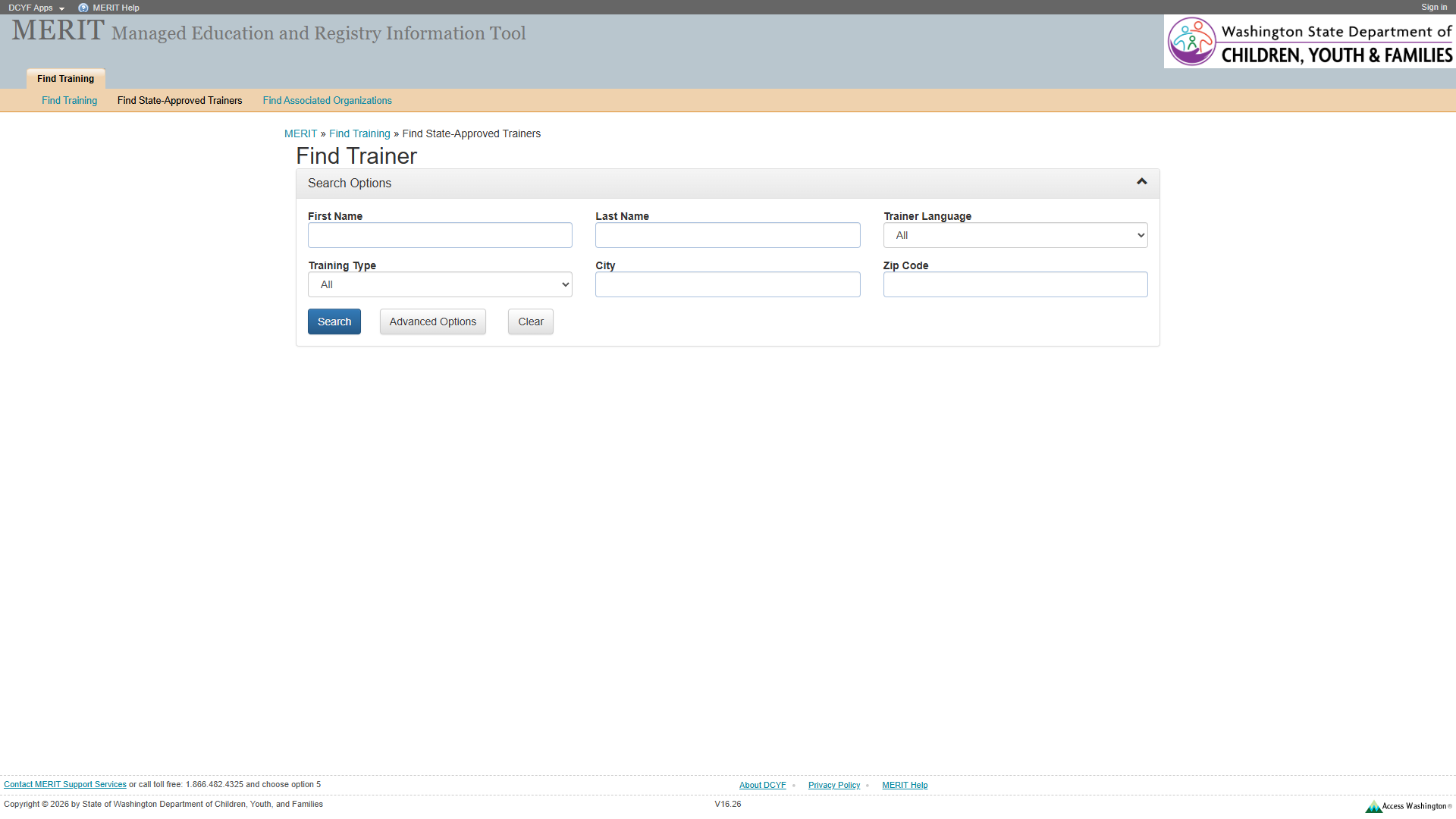
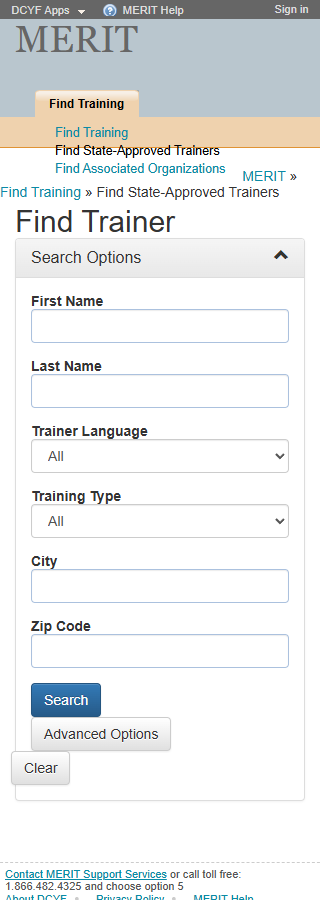
The search controls are not wrapped in a <form> element. Screen readers cannot identify the form boundary, and browser autofill and form-level keyboard submission may not work.
Wrap all search controls in <form role="search"> with appropriate action and method.
2
No Fieldset/Legend for Field Groups
Related form fields must be grouped with fieldset/legend
1.3.1
Required
Medium
Form field groups lack <fieldset> with <legend> grouping. Users cannot perceive related fields as a set.
Group related fields in <fieldset> elements with descriptive <legend> text.
3
Breadcrumb Not Semantically Marked
Lists must be constructed with appropriate semantic markup
1.3.1
Required
Medium
The breadcrumb trail is a generic <div> with plain text and >> separators rather than a <nav aria-label="Breadcrumb"> containing an <ol>.
Wrap in <nav aria-label="Breadcrumb"> containing an <ol> with <li> items. Add aria-current="page" to the current item.
4
Sub-Navigation Not in <nav>
Navigation lists should be designated with <nav> or role="navigation"
2.4.1
Best practice
Medium
The sub-navigation list is a bare <ul> with no <nav> wrapper.
Wrap in <nav aria-label="Search categories">.
5
Breadcrumb/Heading Mismatch
Breadcrumb text should be consistent with page heading
–
Best practice
Medium
The breadcrumb says “Find State-Approved Trainers” but the page heading (<h2>) says “Find Trainer”. Inconsistent naming creates confusion about whether the user is on the intended page.
Align the breadcrumb text and page heading to use the same terminology (e.g., both “Find Trainers” or both “Find State-Approved Trainers”).
Section 2: Links and Navigation
Standards reference: links-and-navigation.md
Evaluated
Pass
Fail
N/A
22
15
3
4
Findings
#
Topic
Requirement
WCAG
Level
Severity
Description
Proposed Fix
1
(Site-wide) No Skip Link
A “skip” link should be the first focusable element
2.4.1
Required
High
No skip link present. Keyboard users must tab through all header and navigation elements to reach the search form.
Add a visually-hidden, focus-visible skip link as the first focusable element targeting main content.
2
(Site-wide) “DCYF Apps” Dead Link
Links must have a valid destination
4.1.2
Required
Medium
“DCYF Apps” link has href="#", making it non-functional.
Replace href="#" with a valid URL or convert to <button>.
3
(Site-wide) “MERIT Help” Dead Link
Purpose of each link must be understandable
2.4.4
Required
Medium
“MERIT Help” link has href="#" and navigates nowhere.
Provide a valid URL to a help resource, or remove the link.
Section 3: Images and Visual Design
Standards reference: images-and-visual-design.md
Evaluated
Pass
Fail
N/A
15
11
2
2
Findings
#
Topic
Requirement
WCAG
Level
Severity
Description
Proposed Fix
1
(Site-wide) Access Washington Logo Alt Text
Image links should describe the destination
1.1.1
Required
Medium
Access Washington logo link uses alt text describing the image rather than the link destination.
Change alt to “Visit Access Washington” or add aria-label on the link.
2
(Site-wide) Small Footer Text
Fonts should be easily readable
–
Best practice
Low
Footer text at approximately 11px is very small for low-vision users.
Increase footer text to at least 14px using relative units.
Section 4: User Input, Forms, and Dynamic Content
Standards reference: user-input-forms.md
Evaluated
Pass
Fail
N/A
38
23
7
8
Findings
#
Topic
Requirement
WCAG
Level
Severity
Description
Proposed Fix
1
Form Labels Not Using <label> Elements
Labels must be programmatically associated with inputs
1.3.1
Required
Critical
Form labels are rendered as text nodes adjacent to inputs rather than <label> elements with for attributes. Screen readers announce inputs as unlabeled edit fields. This affects all search form fields.
Wrap each label in <label for="field-id"> or use aria-labelledby to create explicit associations for every input.
2
No <form> Element
Form structure should use proper semantic markup
1.3.1
Required
High
Search controls are not in a <form> element. Assistive technologies cannot identify the form boundary.
Wrap all search controls in a <form> element.
3
Collapsible “Search Options” Toggle Missing State
Toggle controls must communicate expanded/collapsed state
4.1.2
Required
Medium
The “Search Options” toggle has no aria-expanded attribute and may not use a <button> role. Screen readers cannot convey whether the panel is open or closed.
Add role="button" (or use a <button> element) with aria-expanded="true/false". Add aria-controls referencing the panel id.
4
No role="search" Landmark
Search functionality should be in a search landmark
–
Best practice
Medium
The search form is not marked with role="search" or contained in a <search> element.
Add role="search" to the <form> element or wrap in a <search> element.
5
No Required Field Indicators
Required fields should be designated programmatically and visually
3.3.2
Required
Medium
No visual or programmatic indication of which fields are required.
Add required or aria-required="true" to required fields. Add visual indicators with legend.
6
“Advanced Options” Button Lacks aria-expanded
Toggle controls must communicate expanded/collapsed state
4.1.2
Required
Low
The “Advanced Options” button does not indicate its expanded/collapsed state to assistive technologies.
Add aria-expanded="true/false" to the button, toggled by script.
7
“Clear” Button Scope Unclear
Button purpose should be clear from its label
–
Best practice
Low
The “Clear” button does not indicate what it clears.
Rename to “Clear Search” or “Clear All Fields”.
Section 5: Multimedia, Animations, and Motion
Standards reference: multimedia-and-motion.md
Evaluated
Pass
Fail
N/A
5
0
0
5
No issues identified in this section.
No audio, video, multimedia, or animated content detected. No flashing content. No time-limited content visible.
Summary
Compliance Overview
Section
Evaluated
Pass
Fail
N/A
1. Structure & Semantics
27
18
5
4
2. Links & Navigation
22
15
3
4
3. Images & Visual Design
15
11
2
2
4. User Input, Forms & Dynamic Content
38
23
7
8
5. Multimedia, Animations & Motion
5
0
0
5
Total
107
67
17
23
Findings by Severity
Critical
Form labels are text nodes, not <label> elements – all inputs are unlabeled for assistive technology (S4 #1, WCAG 1.3.1)
High
No <form> element wrapping search controls (S1 #1, S4 #2, WCAG 1.3.1)
(Site-wide) No skip link (S2 #1, WCAG 2.4.1)
Medium
No fieldset/legend for field groups (S1 #2, WCAG 1.3.1)
Breadcrumb not semantically marked (S1 #3, WCAG 1.3.1)
Sub-navigation not in <nav> (S1 #4, WCAG 2.4.1)
Breadcrumb/heading mismatch: “Find State-Approved Trainers” vs “Find Trainer” (S1 #5)
“Search Options” toggle missing aria-expanded and button role (S4 #3, WCAG 4.1.2)
No role="search" landmark (S4 #4)
No required field indicators (S4 #5, WCAG 3.3.2)
(Site-wide) “DCYF Apps” dead link (S2 #2, WCAG 4.1.2)
(Site-wide) “MERIT Help” dead link (S2 #3, WCAG 2.4.4)
(Site-wide) Access Washington logo alt text (S3 #1, WCAG 1.1.1)
This page shares the same search form pattern as FindTrainingSearch and FindOrganizations. Findings here largely mirror those pages, minus the combobox name mismatch and date field issues specific to FindTrainingSearch.
The breadcrumb/heading mismatch (“Find State-Approved Trainers” vs “Find Trainer”) is unique to this page and creates confusion about page identity.
This page has a <main> landmark, resolving the missing <main> issue found on the Welcome page.
Focus indicators could not be visually confirmed from the automated screenshot; manual verification recommended.
Severity Definitions
Severity
Criteria
Critical
Required standard violated; completely blocks access for one or more disability groups (e.g., keyboard trap, no form labels, missing alt text on functional images)
High
Required standard violated; significant barrier that makes the feature very difficult to use (e.g., poor contrast on primary content, missing heading structure, focus indicator absent)
Medium
Required standard violated with moderate impact, OR Best practice violated with significant user impact (e.g., heading levels skipped, link purpose unclear from context, insufficient target size)
Low
Best practice not followed; minor impact on usability (e.g., title could be more concise, landmark count could be reduced, hover indicator could be enhanced)